
I have so many failed learning projects in the past.
By failing, I mean trying many and never completing any.
So, this time, I have come up with a different strategy to execute it. More on that I will be discussing below.
The point of this learning project is to unleash some creative ideas, specifically things related to Plannedroutine. I am going to work on designs that can be printed or shared digitally, things that have some value and can be shared with you guys.
And here, I would like to quote that great line from Steven Pressfield:
“Creative work is not a selfish act or a bid for attention on the part of the actor. It’s a gift to the world and every being in it. Don’t cheat us of your contribution. Give us what you’ve got.” ― Steven Pressfield
Again, I am not a designer or artist myself, but I have dabbled with graphic design for a while, and I hold a cert from California Institute of the Arts.
Also, I have toyed with Photoshop and some other design tools like Photofiltre, it’s old but don’t underestimate its powers 😉
But the goal here is to create planners, ebooks and things that are directly linked this work I am doing here.
So, let’s call it a practical design, and hence the name: InDesign product creator LP came from.
You can watch the youtube video of this blogpost if you prefer a video format.
So why InDesign?
Because it’s the leading industry software when it comes to creating professional designs for print or the web.
It has been around for 26 years. The older the program is, the more people and experts we have who have mastered this tool.
The previous point is connected to this one; it’s relatively easy to learn InDesign because of the sheer abundance of tutorials you have at your disposal.
Whether it’s a free or paid course/book, you will find tonnes of resources available on the net that help you to start learning it right away.
Of course, InDesign does have some cons that one should be aware of:
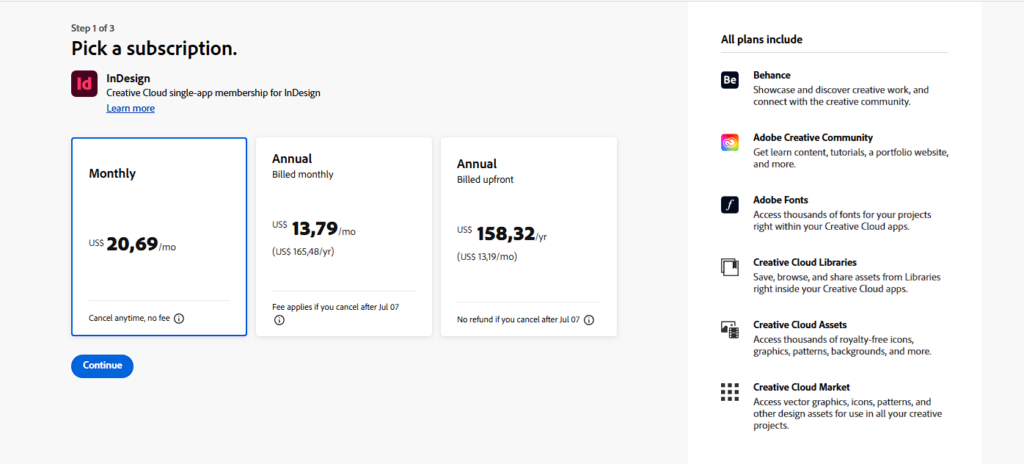
The cost: not affordable for many people, especially those who live in the third world.
Also, it can be confusing to beginners, so having a good starting point or guide would help.
When it comes to the first con, I hope you can afford it or ask Mr. Google if he can help you with coupons or something else.
Since this is a learning project, I am going to address the second point specifically: how to learn this software and create some amazing projects with it.
Like I said before, the learning project is called the “InDesign Product Creator LP.”
Let’s break down why I called it this way:
InDesign = the name of the software we’re going to learn.
Product creator = creating products and not just projects that have zero utility.
LP = an abbreviation for “Learning Project,” a method used by Scott H. Young to learn skills/topics.
So, the name kind of gives a clear idea that I want to learn InDesign in a structured way with the goal of making products (either digital or physical ones).
The plan
Starting the learning project by June 25, 2026
The end date would be after 92 days, which is September 24, 2026
The map has three parts each part ends with a project.
The end of date of the first part is going to be in
In this blogpostpost, we will only cover the first part, once I complete this, I post the second part.
Part 1 of InDesign Product Creator LP
InDesign Product creator
I am going to introduce the first part has 4 courses to take and it’s concluded with a first project complete.
let’s list them in order and why I chose each one of them.
1) Non-Scary Adobe InDesign for Beginners – Design, Layout & Publish Like a Pro by Tim Wilson
He is an Adobe Certified Expert, so not only he mastered InDesign, but he also has an extensive experience with Photoshop, illustrator and even Affinity software. He is a top teacher on Skillshare and has years and years of experience. His approach is simple. His videos are really short, so you learn a trick or two, and my favourite part about him he ends his videos by asking you to experiment on what you just learned.
It should take me 20 hours to complete this one but since I had done it before already, I am only going to give 3 hours to review my notes for this learning project.
2) Design a PDF With Text Box Placeholders in Adobe InDesign by Nayda Cruz
It should take me two hours to complete this one. This course is really helpful to create PDF files in which you can fill in the textboxes (placeholders), and it’s short and sweet. Only two hours are needed to complete this course.
Such a skill is important to create digital journals/planners, habit trackers and so on.
3)How to Make a Business Card in Adobe InDesign By Spencer Martin
This is a self-explanatory course, just learning how to design a business card, and completing it requires a two-hour investment.
4) How to Create a Calendar in Adobe InDesign by Deb Jeffrey
Calendars, who doesn’t like them? I used to be a huge fan and collector of small and big calendars. Yes, they are outdated for the most part but still can be used as a good decorative item on your desk or to practically jot down your important appointments or deadlines on the calendar.
The course teaches how to design a Calendar. I only need to put in 3 hours of work to complete this learning material.
FIRST PROJECT: 365 Days Plannedroutine planner
The first project is about designing a 365-day planner.
It should take me 10 hours to complete it.
This first part of InDesign product creator LP should take me 16 days of work, investing 1.5 hours a day.
By the 10th of July, I should complete the first part.
That’s it when it comes to this Learning project for now, time to open InDesign and learn something new!
See you soon!